Prepare the records
Add products with clear pack sizes and units.
For stationery & school suppliers
Prepare stationery bills and keep school orders, stock quantities and payment balances easy to review.
Android app · Watch the Hindi tutorial · Setup help on WhatsApp
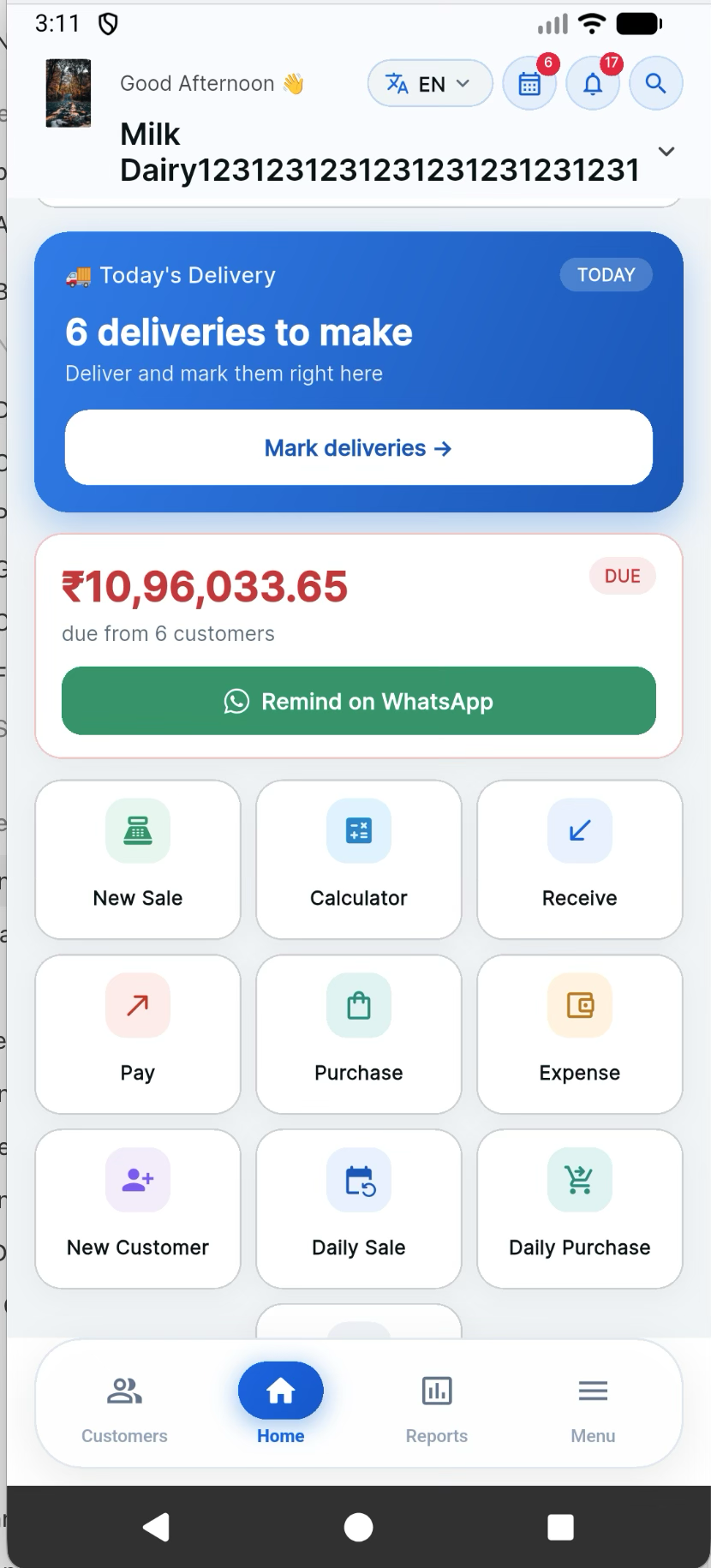
See the actual app workflow
A general DAM account tutorial: learn customer ledgers and payment reminders.
Open the tutorial on YouTube ↗Hindi tutorial · Watch here or on YouTube
A practical routine for your team
Add products with clear pack sizes and units.
Create a checked bill for the correct school or customer account.
Reconcile part payments and review available stock.
A suggested handover routine for your existing operation.
Start with one real account
Start with a small set of products or service items, confirm opening customer balances, then prepare one checked bill before moving the rest of your records.
Useful guides for your business
Manage stationery quantities and credit orders with a notebook-pack example and a school-order handover checklist.
Copy five original reminder templates for upcoming dues, overdue bills, part-payments and balance disputes; check the ledger first.
Use a seven-day migration checklist to verify opening stock, customer dues, supplier balances and the first real bills.
Add products with clear pack sizes and units. Watch the linked tutorial and try one checked record before adding the rest.
Record opening balances and customer payments, then review them against charges in the customer ledger.
Assign responsibility for entry checks and payment reconciliation. The steps on this page describe a suggested team routine; confirm account access requirements with DAM support.
Visit the pricing section on the DAM website for current plans, or ask support about the features you need.
Start with one customer, one checked entry and a balance you understand.